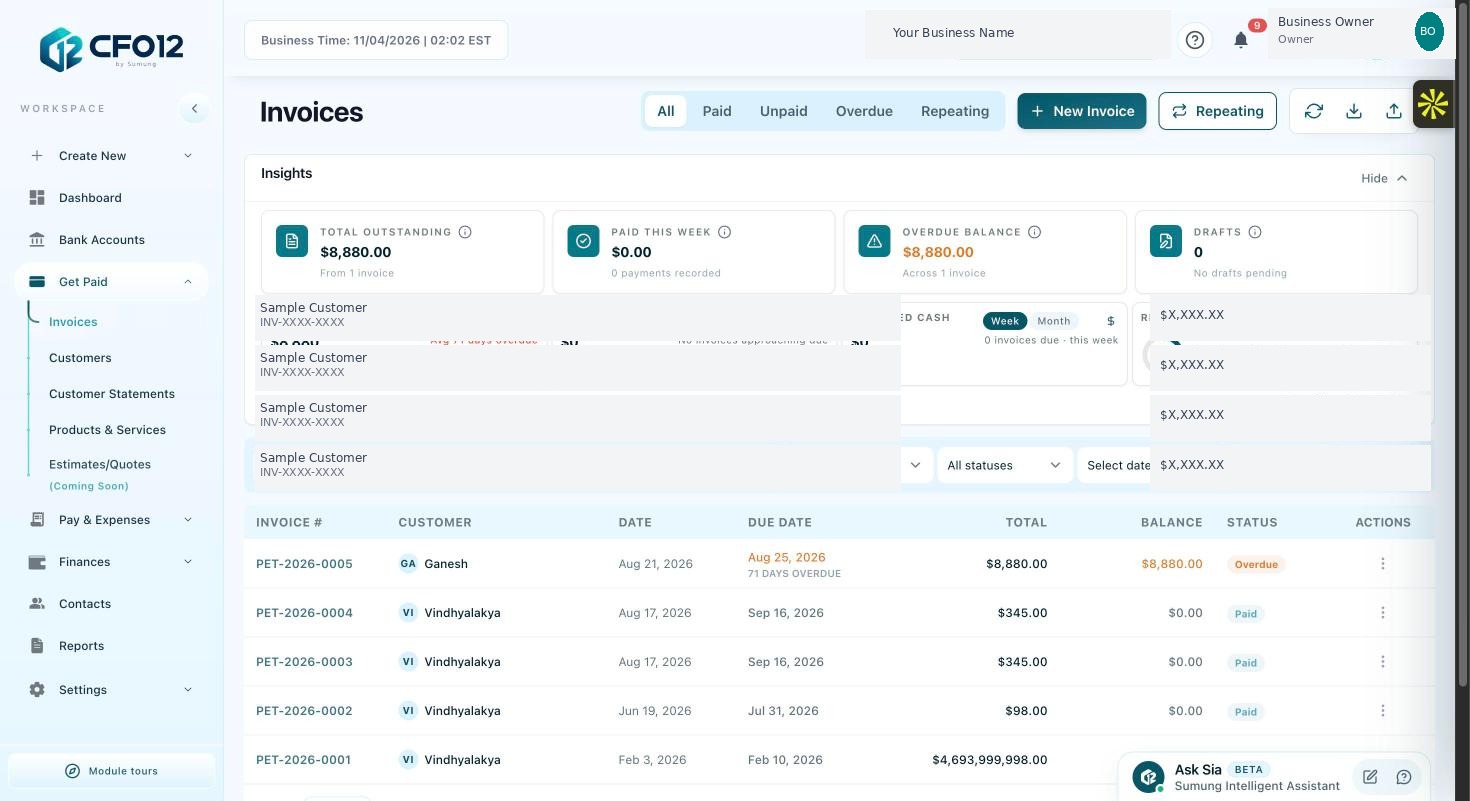
If a customer has not paid an overdue invoice, you can resend the invoice from CFO12 as a payment reminder.
What You Can Do
- Go to Get Paid > Invoices.
- Find the overdue or unpaid invoice.
- Open the invoice.
- Click Send or Resend to email the invoice again to the customer.
- The customer receives the invoice by email as a reminder to pay.
💡 Use the Aged Receivables report to identify all overdue invoices before sending reminders.
Related Articles
- How to Resend an Invoice to a Customer
- How to View Overdue Invoices
- How to View the Aged Receivables Report
Was this article helpful?
Your feedback helps us improve our documentation.