CFO12 lets you apply a percentage discount to any individual line item on an invoice.
What You Can Do
- Open or create an invoice.
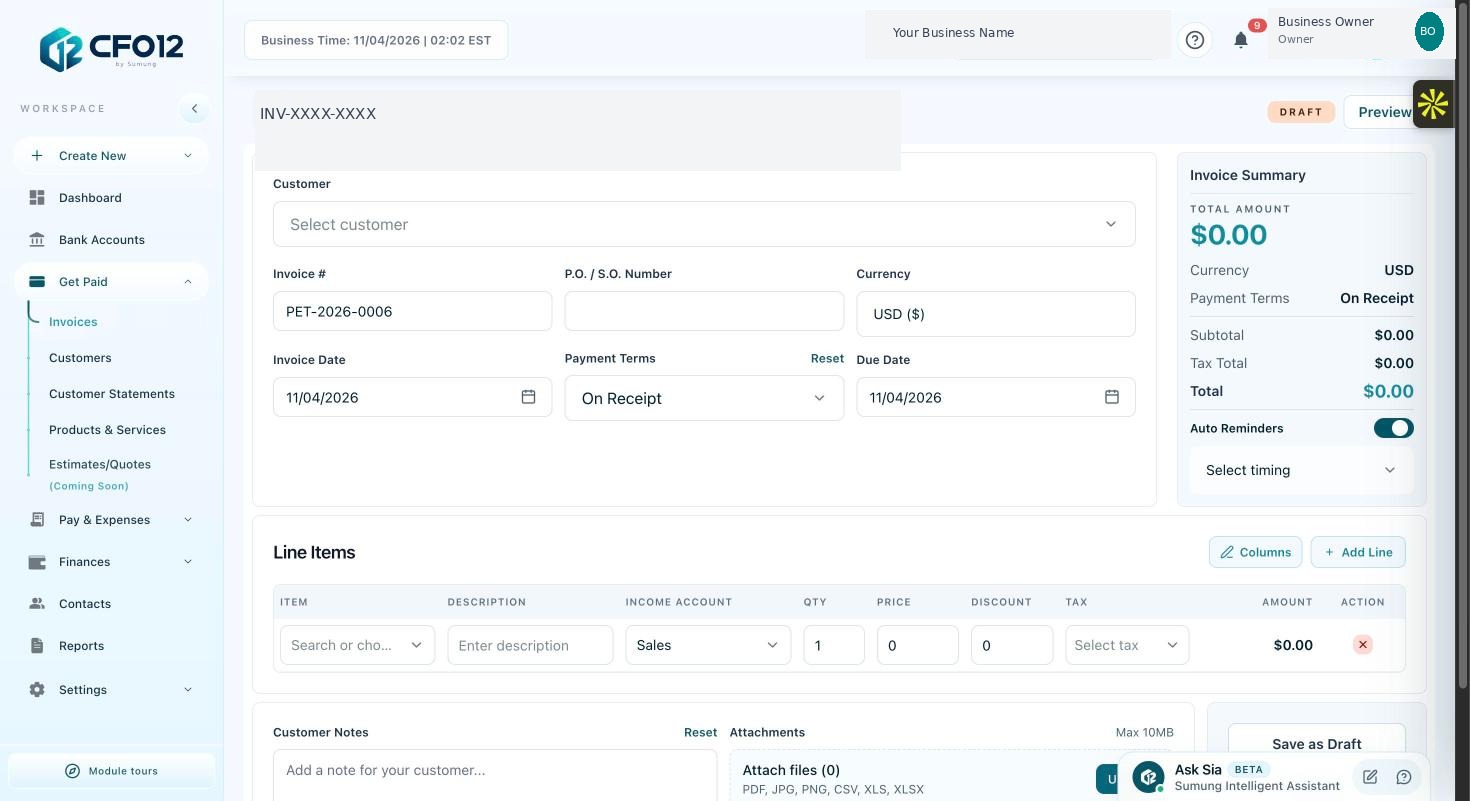
- In the Line Items section, locate the DISCOUNT column for the line item.
- Enter the discount percentage (e.g., 10 for 10%).
- The AMOUNT for that line item will update automatically to reflect the discount.
- The Invoice Summary will reflect the adjusted totals.
💡 Discounts are applied per line item, not to the invoice total.
Related Articles
Was this article helpful?
Your feedback helps us improve our documentation.