You can apply a tax rate to any line item on an invoice using the tax rates configured in your Settings.
What You Can Do
- Open or create an invoice.
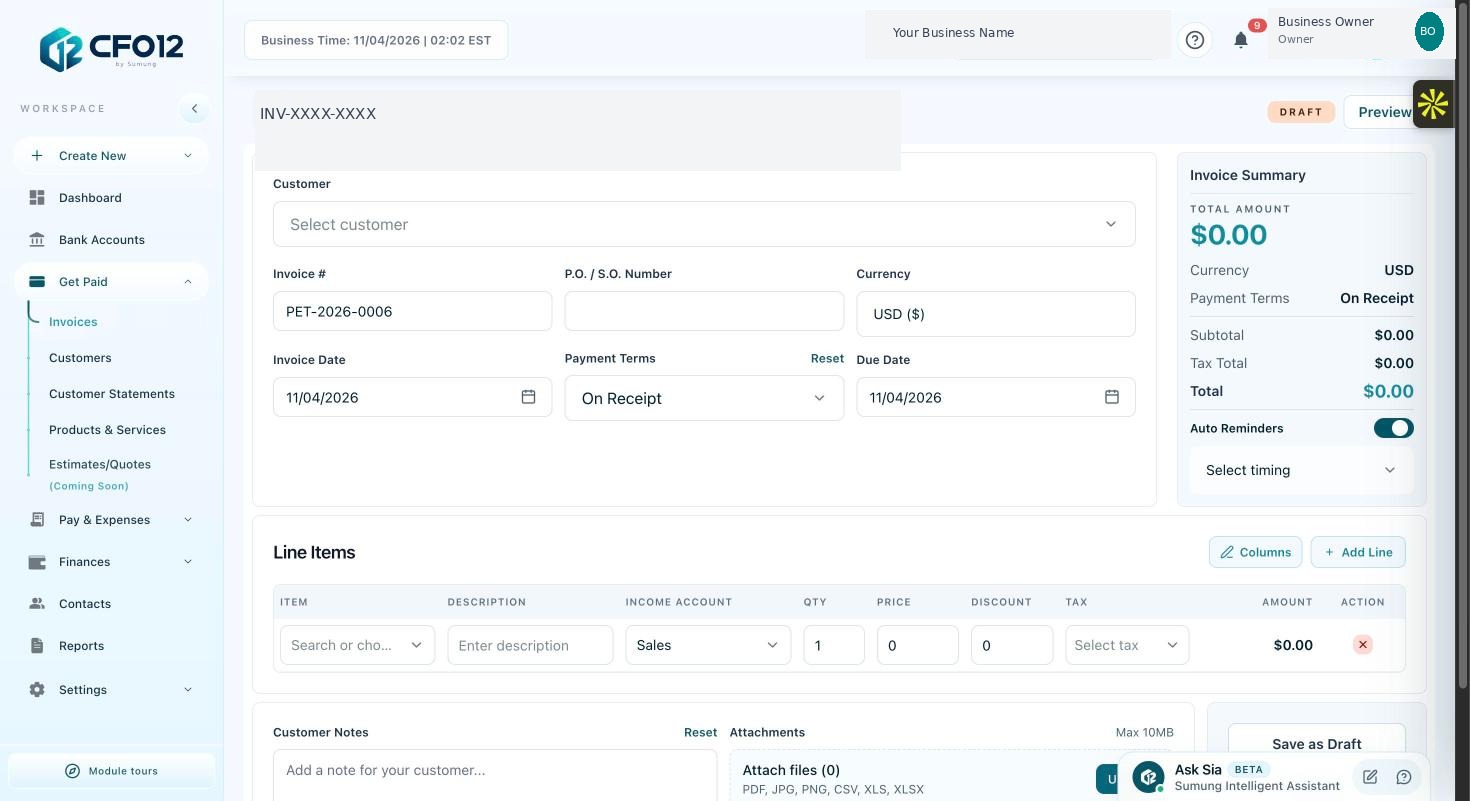
- In the Line Items section, click the TAX field for the line item.
- Select a tax rate from the dropdown. If no tax rates appear, go to Settings > Tax + TaxJar to create one first.
- The tax amount is calculated and added to the line item total.
- The Invoice Summary shows the Tax Total separately from the Subtotal.
💡 Tax rates are managed under Settings > Tax + TaxJar. You can create manual rates or use the TaxJar integration.
Related Articles
- How to Create a New Tax Rate
- How to View the Invoice Summary
- How to Add Line Items to an Invoice
Was this article helpful?
Your feedback helps us improve our documentation.