
Overview of the Get Paid Section

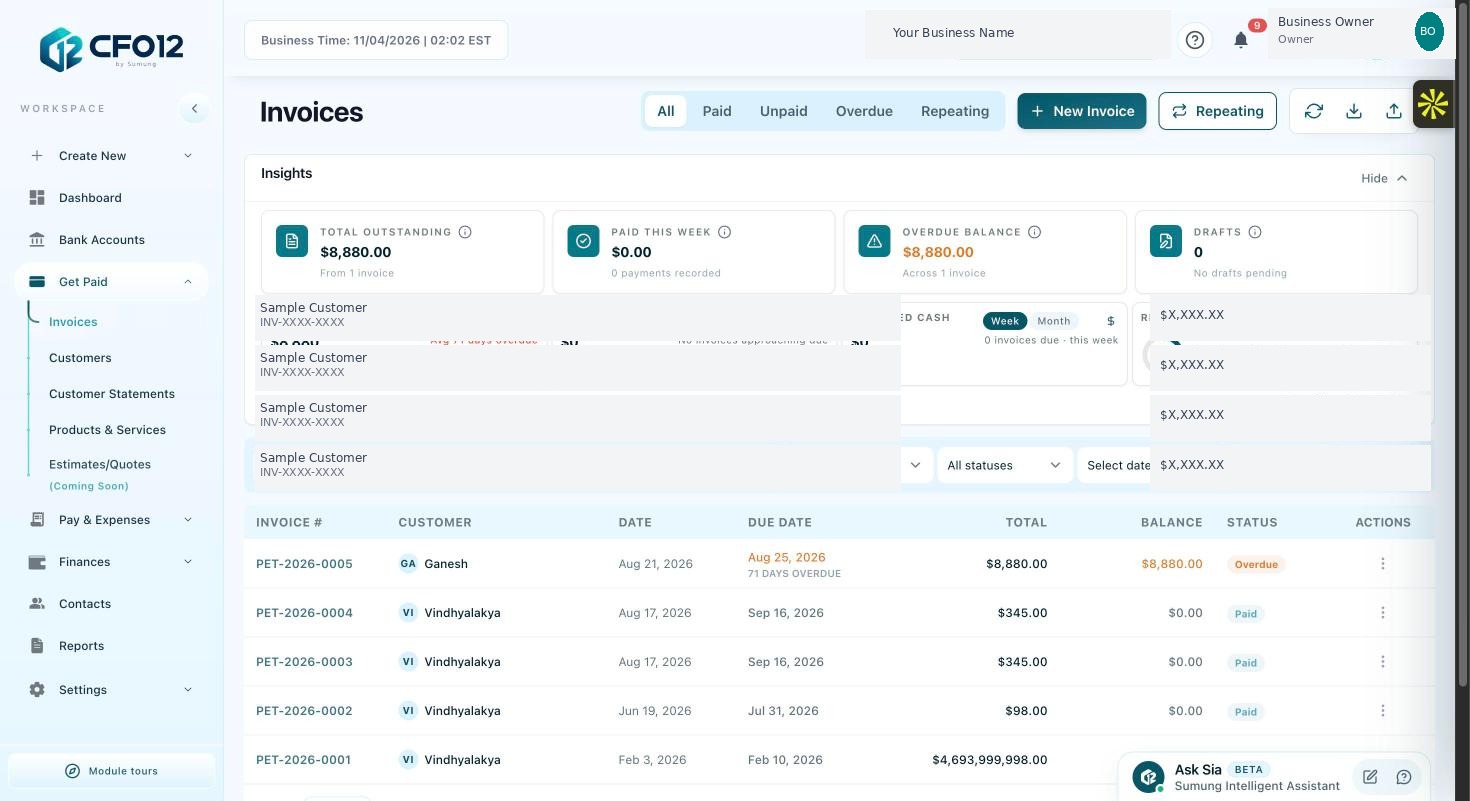
The Get Paid section in CFO12 is where you manage all your sales activity — from creating invoices to tracking customers and products.
Last updated

Quick answer

The Get Paid section in CFO12 is where you manage sales activity, from invoices to customers and products. Click Get Paid in the left sidebar to expand it, then choose Invoices, Customers, Customer Statements or Products & Services. You can also use the Create New menu to start a new invoice, customer or product.

The Get Paid section in CFO12 is where you manage all your sales activity — from creating invoices to tracking customers and products.

Overview of the Get Paid Section screenshot

What You Can Do

  1. In the left sidebar, click Get Paid to expand the section.
  2. You will see four sub-sections: Invoices, Customers, Customer Statements, and Products & Services.
  3. Click any sub-section to navigate directly to it.
  4. Use the Create New menu at the top of the sidebar to quickly create a new invoice, customer, or product.

💡 Estimates/Quotes is listed as Coming Soon and is not yet available.

Related Articles

Was this article helpful?

Your feedback helps us improve our documentation.

Frequently asked questions

Can I create estimates or quotes?

Not yet. Estimates/Quotes is listed as Coming Soon and is not currently available.

What can I create from the Create New menu?

Create New, at the top of the left sidebar, offers New Invoice, New Bill, New Receipt, New Customer, New Vendor and New Product/Service. Choosing an option opens its creation form directly.

Where can I see a summary of my invoicing activity?

Go to Get Paid, Invoices and click the Insights tab. It shows widgets such as Total Outstanding, Paid This Week, Overdue Balance, Drafts, Approaching Due and Expected Cash.

Complete guideInvoicing and getting paid in CFO12: complete guide