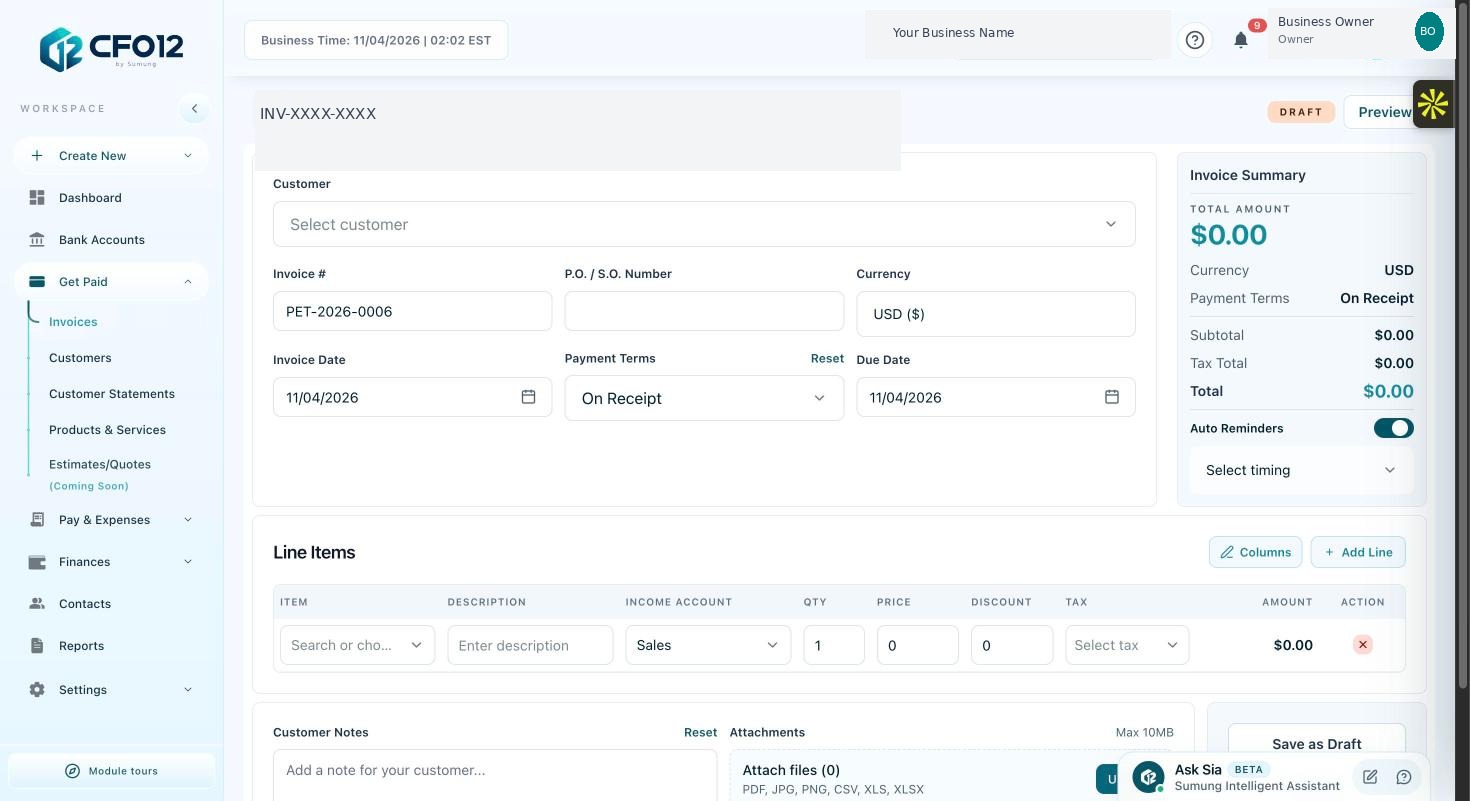
The Preview button lets you see how the invoice will appear to your customer before sending.
What You Can Do
- Open or create an invoice.
- Click the Preview button near the top of the form.
- A preview of the invoice PDF opens showing all line items, totals, and your business details.
- Close the preview to return to the invoice editor and make any changes.
💡 Preview is useful for checking how your logo, payment terms, and line items appear on the final document.
Related Articles
Was this article helpful?
Your feedback helps us improve our documentation.