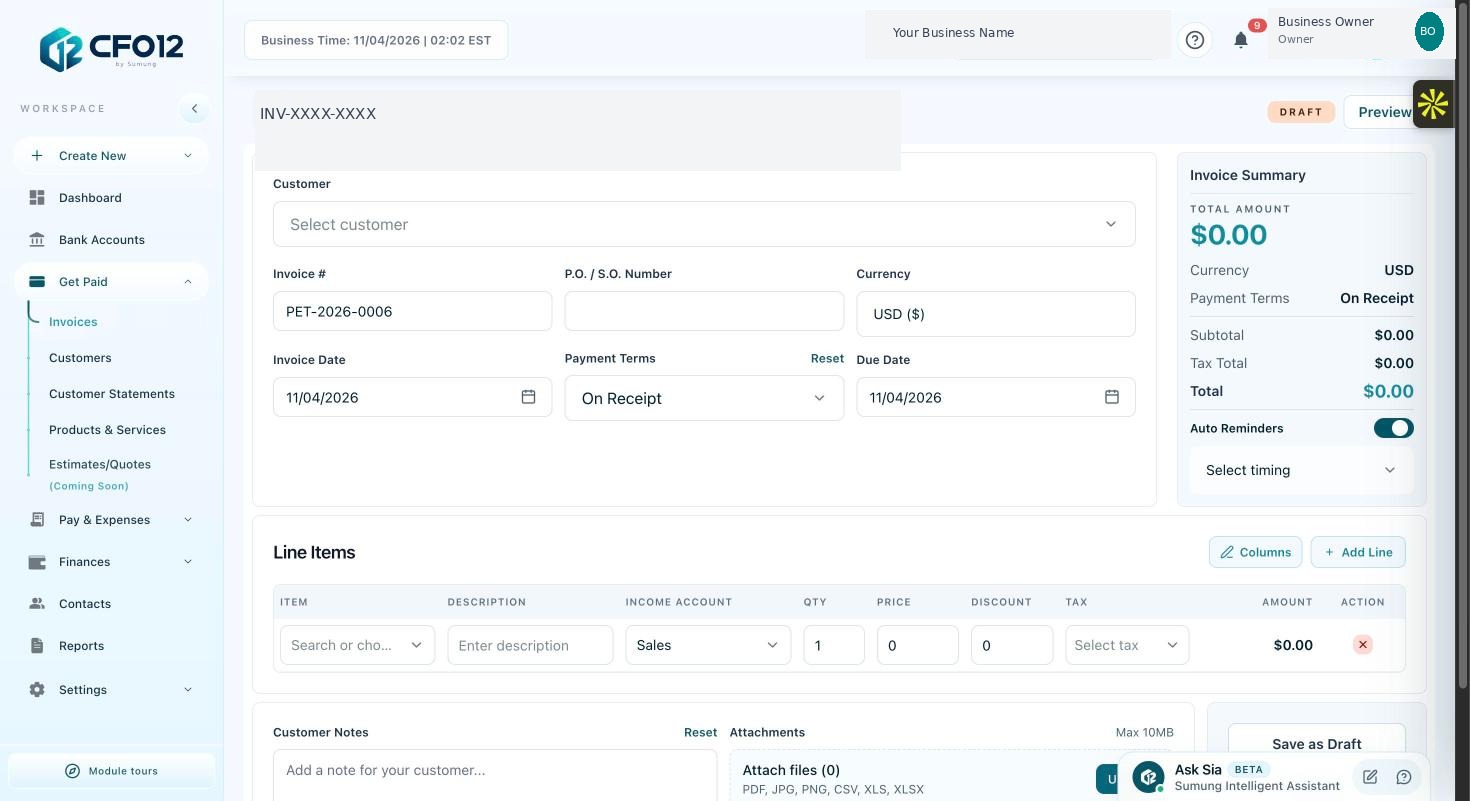
The Income Account field on each invoice line item links the sale to the correct account in your Chart of Accounts.
What You Can Do
- When adding a line item to an invoice, locate the INCOME ACCOUNT column.
- Click the field and select the appropriate income account (e.g., Sales, Interest Earned).
- This links the revenue to the right account for accurate financial reporting.
- Income accounts are managed in your Chart of Accounts under Finances.
💡 Correctly assigning income accounts ensures your Profit & Loss report is accurate.
Related Articles
- How to View the Chart of Accounts
- How to Add Line Items to an Invoice
- What Is the Profit & Loss Report?
Was this article helpful?
Your feedback helps us improve our documentation.