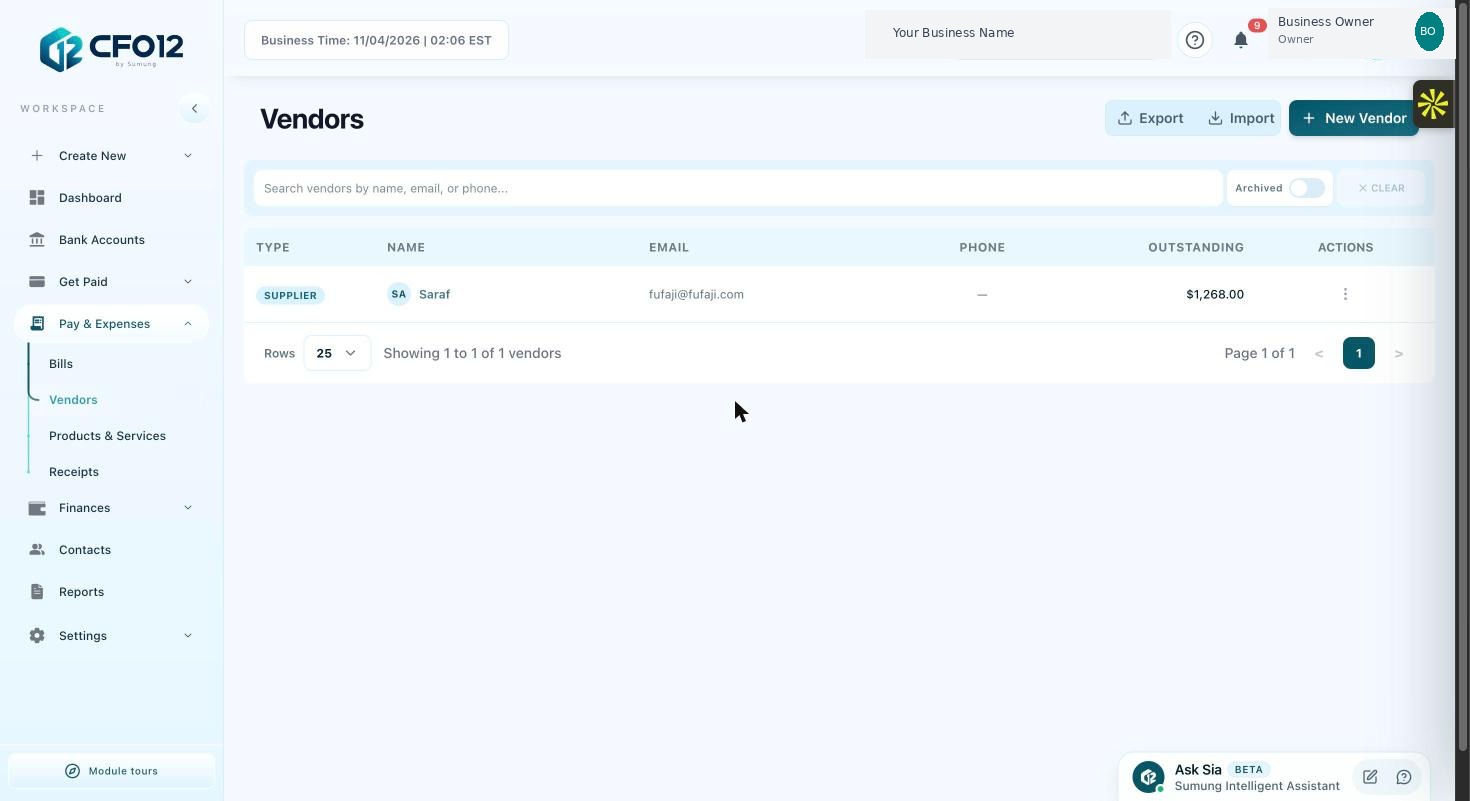
The Vendors page shows all your suppliers with their type, contact details, and outstanding balances.
What You Can Do
- Go to Pay & Expenses > Vendors.
- The list shows key details for each vendor.
- TYPE shows the contact type (e.g., SUPPLIER).
- The outstanding balance information shows the total unpaid bill balance for each vendor.
- Click Archived to view archived vendors.
💡 Reviewing each vendor's balance helps you quickly see which vendors have pending payments.
Related Articles
Was this article helpful?
Your feedback helps us improve our documentation.