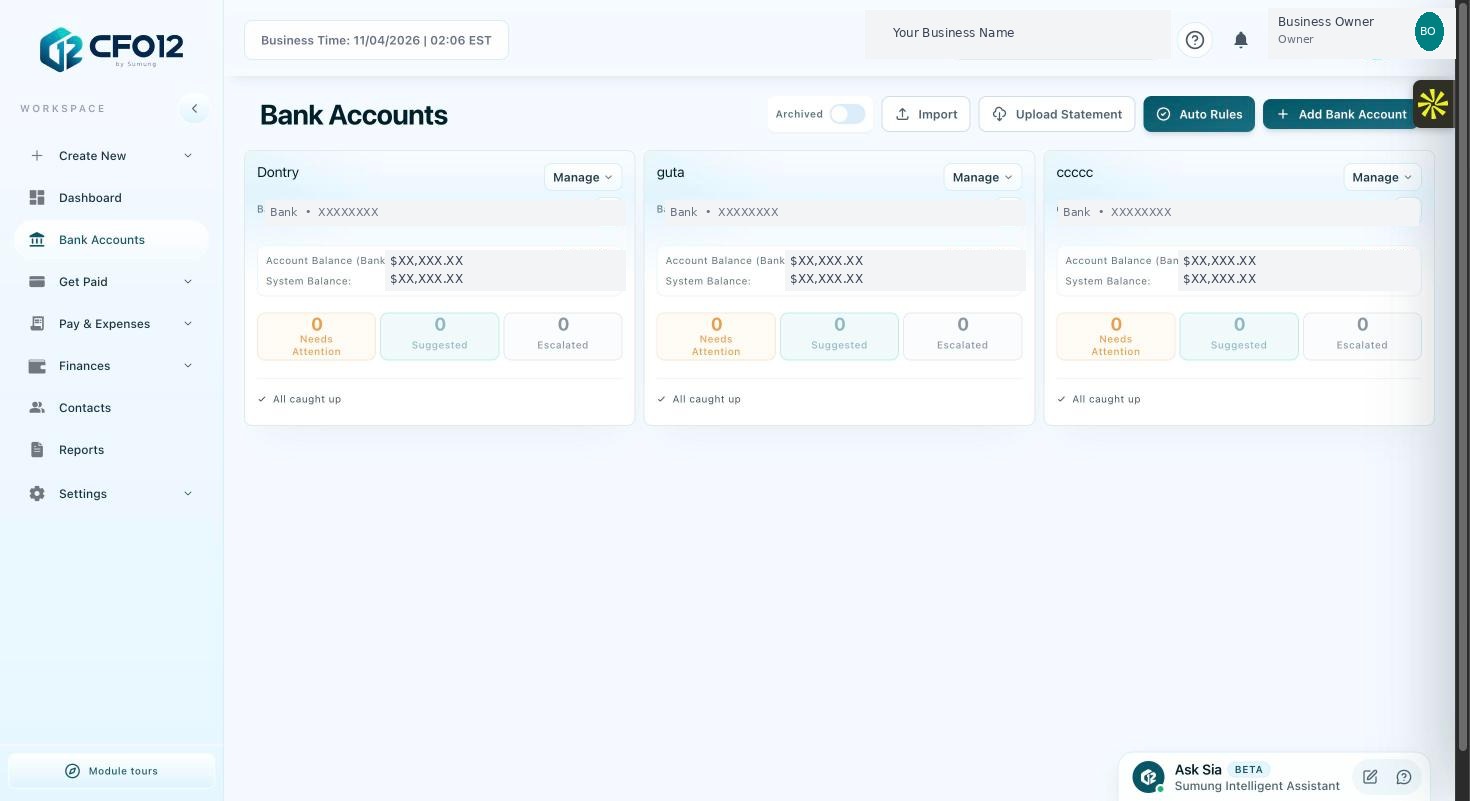
The Bank Accounts overview page displays all your accounts with their key details.
What You Can Do
- Go to Bank Accounts in the left sidebar.
- Each account shows its key details.
- Action buttons include: Archived, Add Bank Account, Import, and Auto Rules.
- Click any account to open its transactions.
💡 The Bank Accounts page is your financial hub — start here when reviewing or reconciling accounts.
Related Articles
- How to Add a Bank Account
- How to View Bank Account Transactions
- What Are Auto Rules?
Was this article helpful?
Your feedback helps us improve our documentation.