Transfer your CFO12 account ownership to another user when needed.
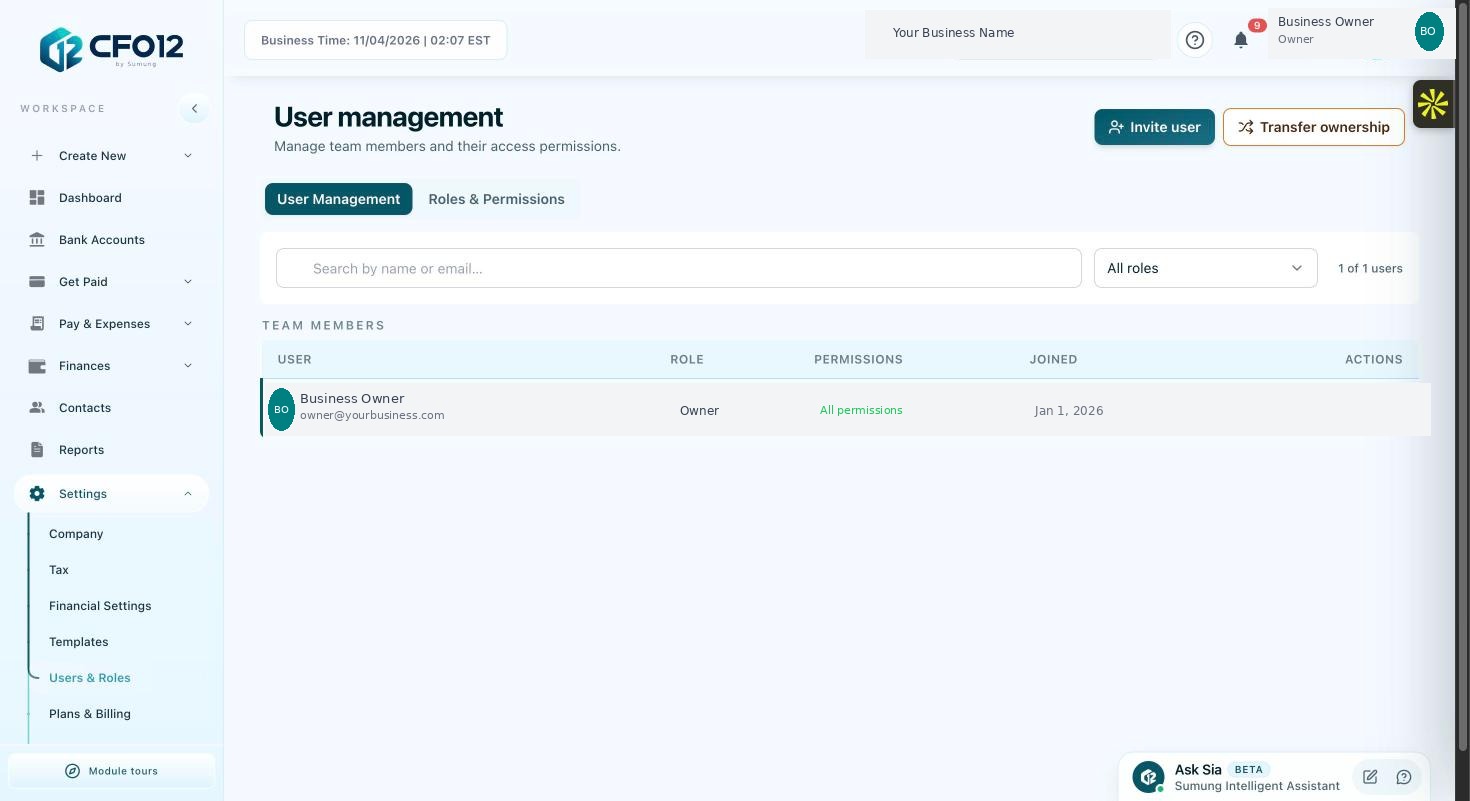
What You Can Do
- Go to Settings > Users & Roles.
- Find the ownership transfer option.
- Select the user you want to transfer ownership to.
- Confirm the transfer.
- The selected user becomes the new account owner with full control.
💡 Ownership transfer is irreversible without the new owner's cooperation. Transfer carefully.
Related Articles
- How to Invite a New User
- What Are the User Roles in CFO12?
- Overview of Settings
Was this article helpful?
Your feedback helps us improve our documentation.