Use the search and filter options on the Bills page to locate a bill by its number.
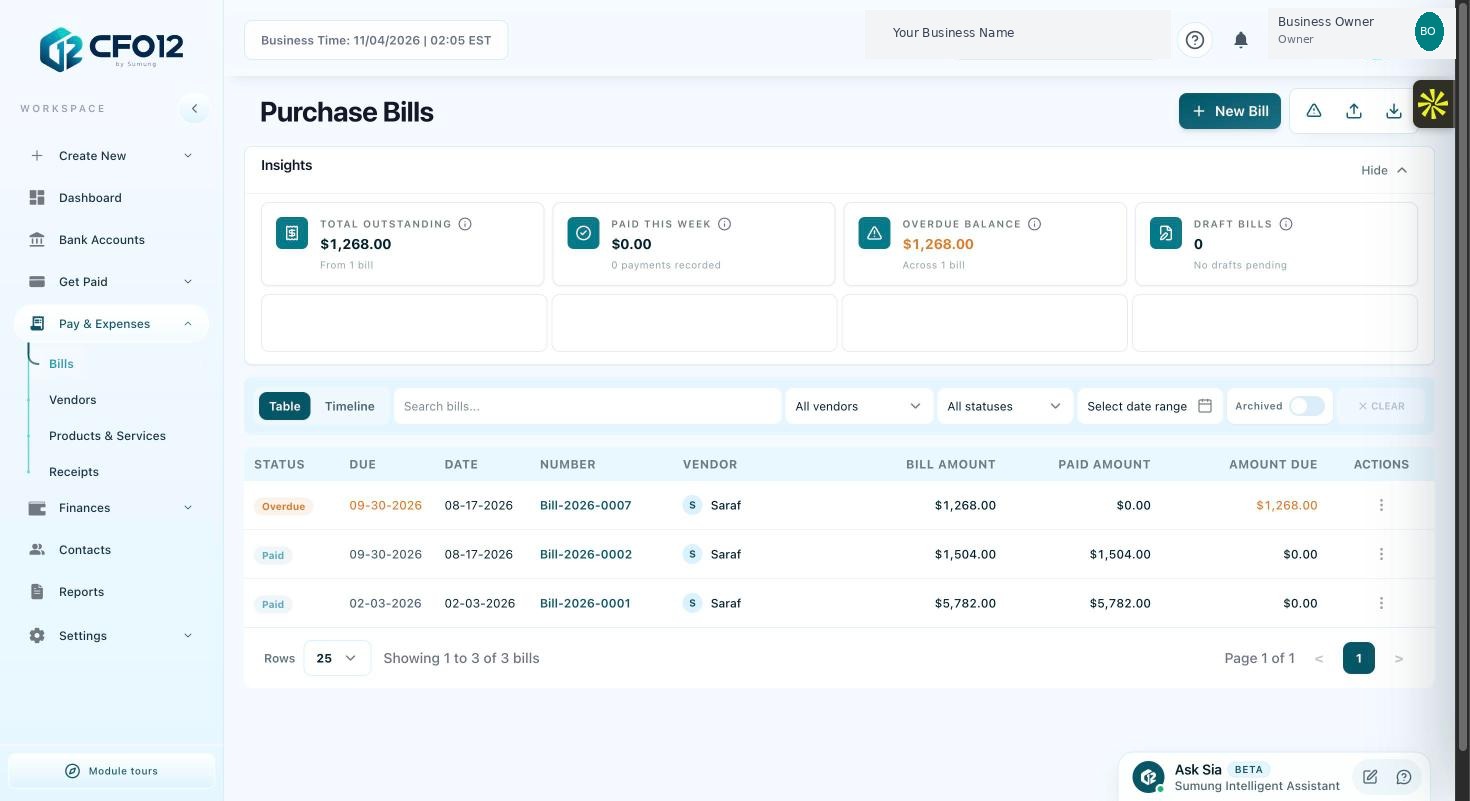
What You Can Do
- Go to Pay & Expenses > Bills.
- Use the vendor filter, status filter, or date range to narrow the list.
- Look through the filtered results for the bill number you are searching for.
- Click the bill to open it.
💡 The bills list displays key bill details including the bill number. Use the vendor filter to quickly narrow down results.
Related Articles
Was this article helpful?
Your feedback helps us improve our documentation.