CFO12 includes both system accounts and custom accounts in the Chart of Accounts. Understanding the difference helps you manage your accounts correctly.
What You Can Do
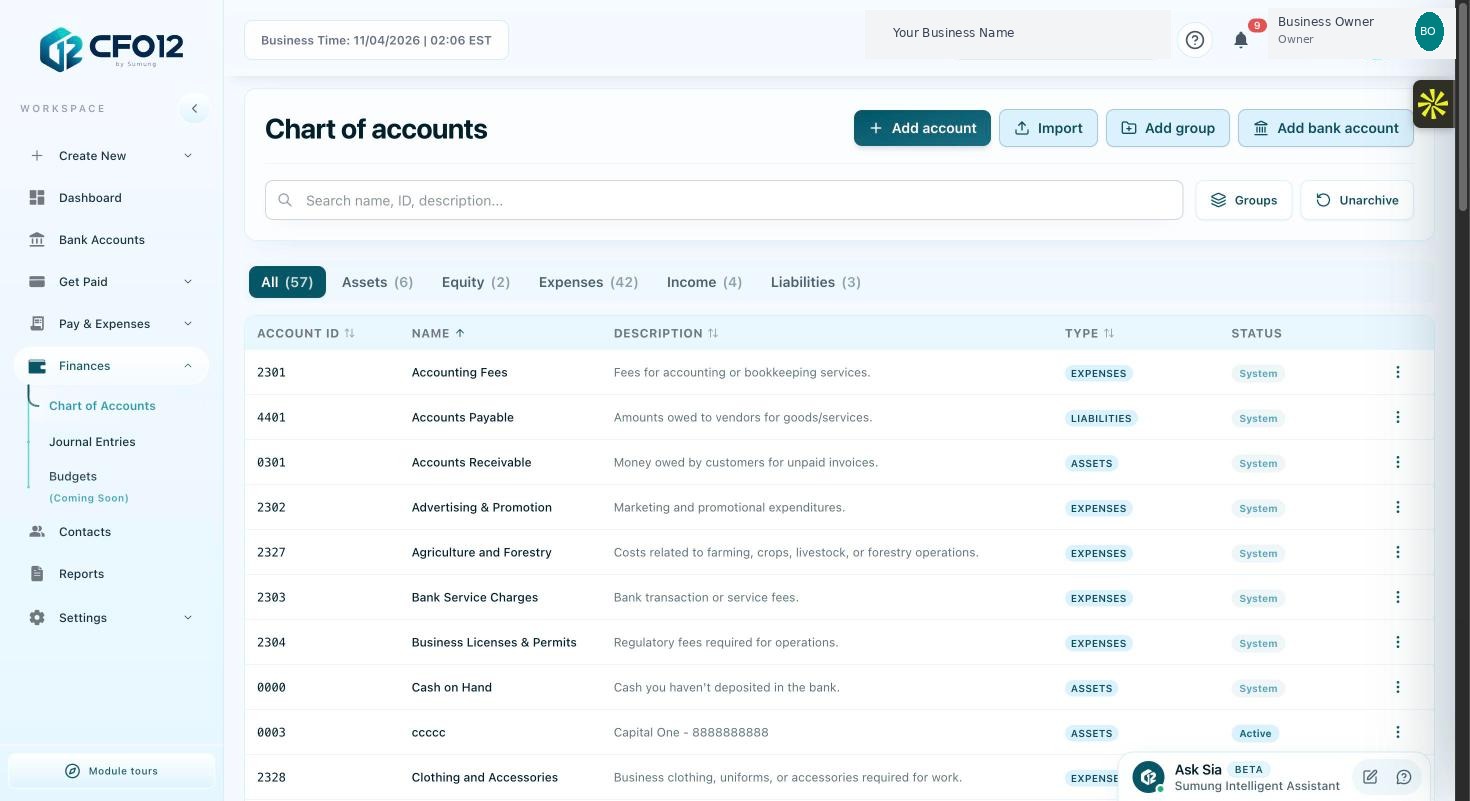
- Go to Finances > Chart of Accounts.
- Review the accounts in the list. System accounts are pre-built by CFO12 and form the foundation of your chart of accounts, representing standard accounting categories.
- Custom accounts are accounts your organisation has added to match your specific business needs.
- Both types appear in the same list. Use the TYPE column to understand the account category for either type.
- Note that system accounts may have limited editing options compared to custom accounts.
💡 If you are unsure whether an account is a system or custom account, check whether the edit option in the ACTIONS column is restricted.
Related Articles
Was this article helpful?
Your feedback helps us improve our documentation.