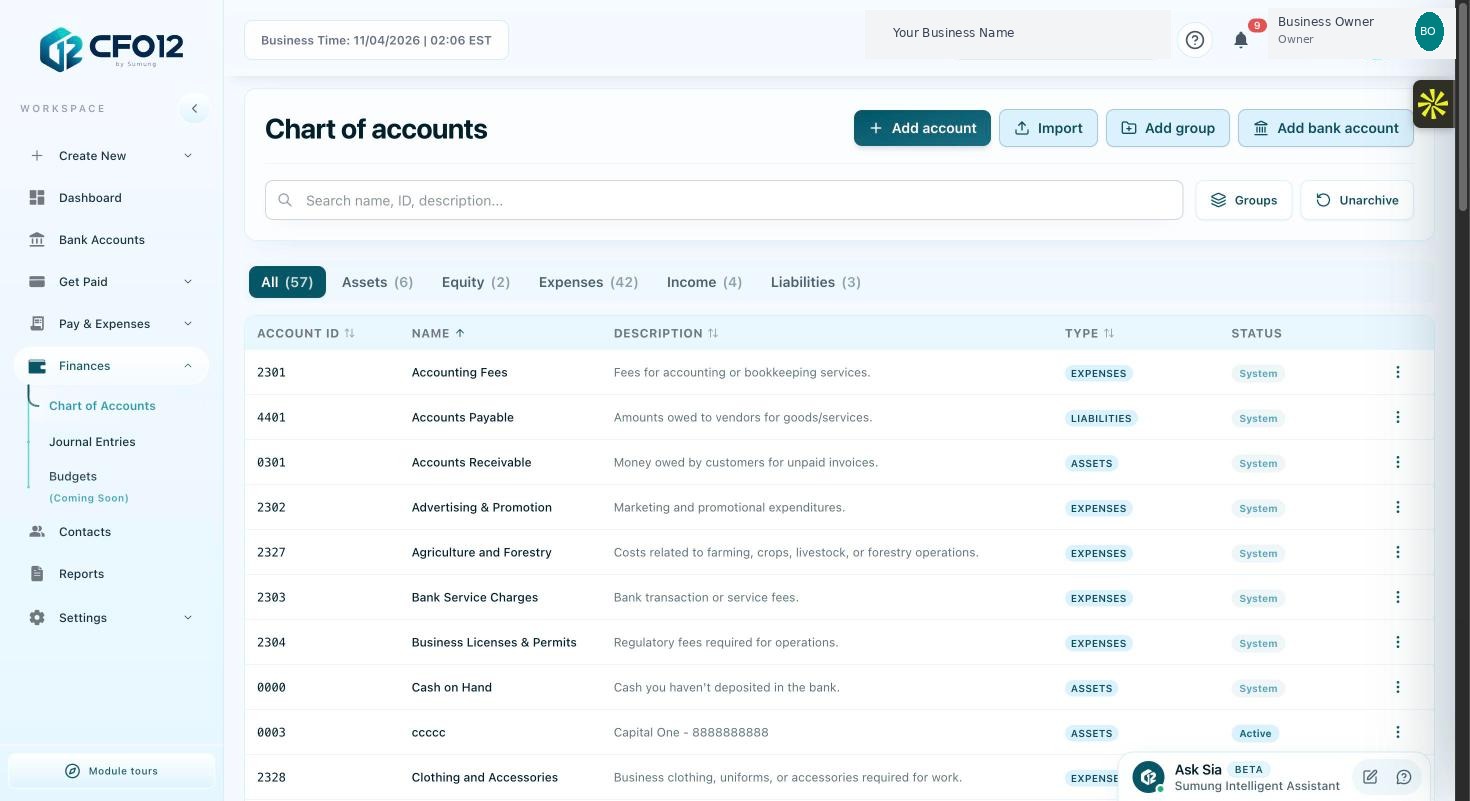
The All tab in the Chart of Accounts shows every account across all five account types.
What You Can Do
- Go to Finances > Chart of Accounts.
- Click the All tab (shows 57 accounts by default).
- Browse the full list showing Account ID, Name, Description, Type, Status, and Actions.
- Browse by scrolling or use the account type navigation to focus on a specific account type.
- Click the Archived tab to view archived accounts.
💡 The All tab is your starting point for reviewing your complete Chart of Accounts.
Related Articles
- How to Filter Accounts by Type
- How to Add a New Account
- What Are the Different Account Types?
Was this article helpful?
Your feedback helps us improve our documentation.